When a television stream pauses, the screen gives you almost no explanation of what happened. A spinning circle might reflect a weak wireless connection, a delayed media request, an application problem, or a source that stopped sending usable video. Understanding the delivery chain makes those possibilities less mysterious. It also helps you ask better questions before choosing equipment or paying for a service.
This guide explains IPTV from the viewer's side: what the term means, how pictures reach a screen, why live viewing includes delay, and which responsibilities belong to a player versus a provider. It is not an assessment of any particular subscription. The examples describe general technology and hypothetical situations, not measured FreeGoTV performance.
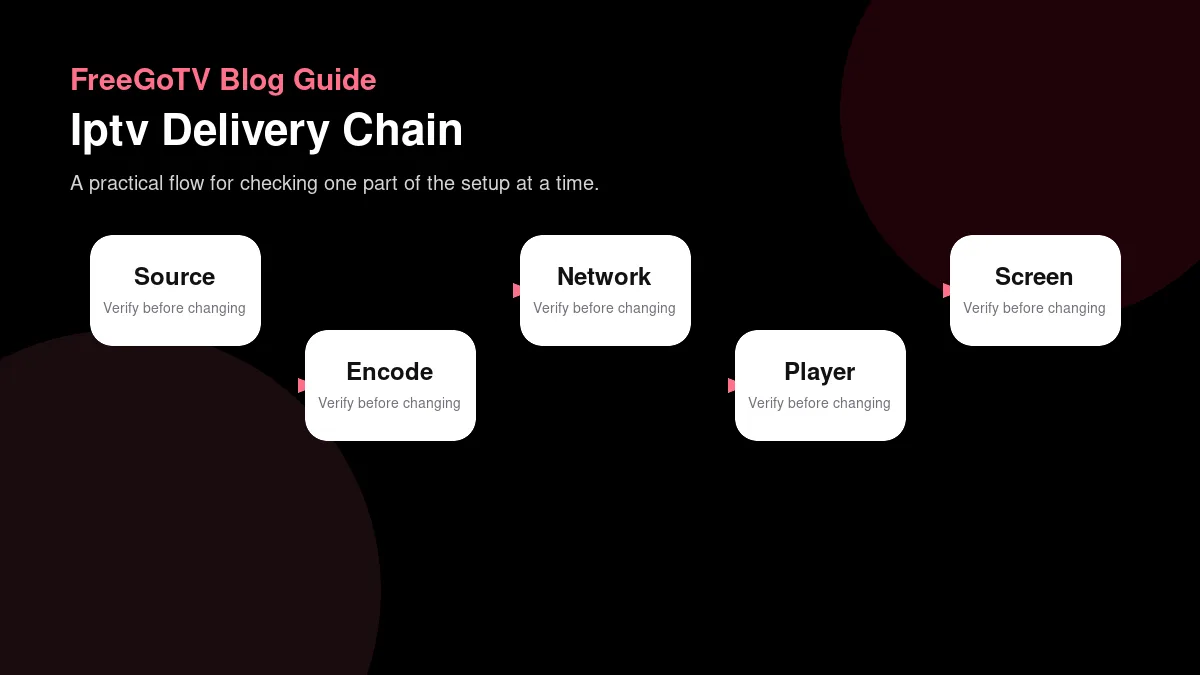
Start with the meaning of IPTV
| Stage | Function | What the viewer experiences |
|---|---|---|
| Source | Creates or receives the live or on-demand program and prepares it for distribution. | The channel exists, starts at a certain time, and may have limits before it ever reaches the home. |
| Encoding and packaging | Converts video into streamable segments and formats the player can request. | Quality, delay, captions, audio tracks, and adaptive bitrate behavior are shaped here. |
| Network delivery | Moves segments across provider, internet, router, and Wi-Fi paths. | The viewer may see buffering, slow starts, or quality drops when delivery is unstable. |
| Player app | Requests segments, keeps a buffer, decodes media, and displays controls. | App errors, playlist mistakes, or weak decoding can appear even when the network is healthy. |
| Display and audio path | Shows the decoded picture through TV, HDMI, receiver, captions, and audio settings. | The stream may play while picture mode, HDR, sound, or captions still need adjustment. |
IPTV stands for Internet Protocol television. At its simplest, the term describes television delivered using IP networks rather than treating a traditional broadcast signal as the entire delivery path. However, people use the term in different ways. A managed television service delivered over an operator's network and an app streaming video across the public internet may both be discussed as IPTV, even though their engineering and support arrangements differ considerably.
That ambiguity matters when comparing advertisements. The label alone does not establish a channel lineup, picture quality, device compatibility, recording capability, or permission to distribute a program. Those are separate questions. Treat IPTV as a starting description of delivery, not a bundle of guaranteed features. A useful service description should identify what you can watch, where you can watch it, and which application and equipment are actually supported.
Managed delivery versus the open internet
A managed service may coordinate its television equipment and network more closely than an app that travels across multiple independent networks. Public-internet delivery depends on the connection between the provider, delivery infrastructure, internet service provider, home router, and playback device. Neither arrangement is automatically good or bad. The important practical difference is how much of the path a particular support team can inspect and control.
For a household, this changes escalation. An app developer can explain why its player rejected a media format, but it usually cannot repair a neighborhood internet outage. Your internet provider can investigate a failing access connection, but it cannot add a missing program to an unrelated service. Naming the affected layer is more effective than asking every company to fix “the IPTV.”
Follow the picture from source to screen
A useful mental model has five stages: source, encoding, delivery, playback, and display. A camera feed or stored program provides the source. Encoding turns that material into compressed media. Delivery moves it across networks. Playback software requests, assembles, and decodes the media. The display and audio equipment turn the result into pictures and sound. An issue at any stage can affect what you experience.
Consider an illustrative live interview. The source might contain a quiet microphone even while its video looks excellent. Encoding cannot invent the missing voice. A fast network can deliver that flawed audio perfectly. A television can then reproduce the same problem without being broken. This is why a symptom visible at the end of the chain does not automatically identify the component that caused it.
Encoding is a transformation, not just shrinking a file
Video contains far more information than most delivery paths can transmit economically in its original form. Compression represents that information more efficiently, often discarding some detail along the way. The encoder's choices influence texture, motion, and how difficult playback is for a device. Increasing the output resolution does not restore detail that was absent from the source or removed earlier.
This distinction helps explain apparently contradictory observations. Two streams labeled with the same resolution can look noticeably different. A landscape might look clean while fast movement reveals artifacts. Those differences can arise before your network receives anything. Our guide to streaming video quality separates these source and encoding questions from the display settings viewers can actually change.
Understand what the player requests
Many internet streaming systems deliver media as a sequence of smaller pieces rather than one uninterrupted download. The player receives information describing what is available and requests the pieces it needs. Different services use different protocols and application designs, so you should not assume that every stream follows an identical process or exposes the same settings.
Apple's HTTP Live Streaming overview describes HLS as a technology for delivering live and on-demand media. In an adaptive setup, the delivery system can offer multiple versions of the content so a player can select an appropriate version. That does not mean every IPTV source offers an adaptive ladder, or that every app makes the same selection under the same conditions.
A playlist is not necessarily a subscription
The word playlist can describe a collection of channel entries, a sequence of media segments, or an application's saved selection. These are related ideas but not interchangeable objects. A list of channel names may point toward content without containing the video itself. A delivery manifest may describe pieces of a single program rather than a household's complete channel lineup.
This is especially important when software marketing mentions importing a playlist. The import feature tells you something about the player, not whether the listed content is available, authorized, included in a subscription, or compatible with your device. The players and apps guide examines this boundary in more detail. Never assume that paying for player software purchases the content referenced by a list.
Why the player keeps a buffer
A buffer is a temporary reserve of media waiting to be played. The network does not necessarily deliver each second of video at exactly the moment it must appear on screen. A reserve lets the player absorb some variation without interrupting viewing. If usable incoming media falls behind playback for long enough, that reserve can run out and the player may pause.
Think of an illustrative delivery schedule rather than a water pipe. A player may receive several seconds of video quickly, then wait for another request. Short periods of low measured network activity can be normal. Conversely, a brief burst of excellent throughput does not prove that the next request will arrive on time. Consistency across the session matters more than one impressive number.
More buffer involves tradeoffs
A larger reserve can help tolerate variation, but it may increase startup time or move a live stream farther behind its source. A smaller reserve can reduce some delay while leaving less room for disruption. The correct balance depends on the application and delivery system. There is no universal buffer setting that makes every service both instant and interruption-free.
Before changing a setting, ask whether the app actually documents it and whether you can restore its original value. If playback is already stable, changing an advanced control just because another person's screenshot shows a larger number may create a problem. When pauses are the actual symptom, use the controlled tests in the buffering troubleshooting guide instead of treating buffer size as the only possible cause.
Live television is not the same as zero delay
A live program still passes through capture, encoding, packaging, network delivery, buffering, decoding, and display. Each stage can contribute time. Two people watching the same event through different paths can therefore see different moments. One may receive a phone notification about a play before it appears on the television, even when neither stream is malfunctioning.
The delay is not automatically a measurement of your internet connection's speed. A service may intentionally trade some immediacy for reliable playback. Your app may be playing behind its available live position after a pause. The source itself may already be delayed before it reaches the delivery system. Without knowing the reference point, a claim that a stream is “ten seconds late” is incomplete.
Compare like with like
If you need to investigate delay, identify the same event marker on the same program and record the paths being compared. Note whether either player was paused, whether a live-position control exists, and whether the feed is actually the same regional version. Do not compare a recorded highlight with a live feed and interpret the difference as network latency.
For ordinary household viewing, decide whether the delay has a practical consequence. A family avoiding spoilers may need different notification habits rather than new equipment. Someone coordinating audio across rooms needs consistent playback behavior, which an unrelated app or casting arrangement may not provide. The right solution begins with the viewing requirement, not the assumption that every delay can be eliminated.
Separate live, on-demand, replay and recording
Live viewing follows an ongoing schedule. On-demand viewing lets a person select an available item independently of that schedule. Replay or catch-up can make some previously scheduled material available afterward. Recording creates another set of questions about storage, permissions, retention, and supported devices. A service offering one of these capabilities does not automatically offer the others.
A program guide also does not prove that a show can be replayed. It may simply display schedule information. A visible title from yesterday could be historical metadata rather than an accessible recording. Before relying on a feature, confirm the behavior in the actual application and read the service's description of what is included. Avoid building a viewing plan around an ambiguous icon.
Ask concrete feature questions
Instead of asking whether a service has “everything,” ask whether a particular program can be started after its broadcast begins, whether pausing resumes from the same point, and whether that behavior works on your intended device. If recording is offered, ask where the recording lives and whether the entitlement survives cancellation or a device change. Do not assume a general player feature is enabled by every provider.
These questions are useful even when the eventual answer is no. A household that mostly watches scheduled news may not need recording at all. A household trying to watch a particular weekly program at an irregular time may consider replay essential. Technical understanding helps distinguish a missing requirement from a feature that sounds attractive but would rarely be used.
Read channel information with appropriate caution
A channel name, logo, category, or country tag is a piece of descriptive information. It is not by itself evidence of distribution rights, geographic availability, or inclusion in your plan. Names can also be similar across regional feeds. A service evaluation should connect the specific content you want with the specific location, account terms, and device on which you intend to watch it.
The FreeGoTV sample channel explorer is explicitly a demonstration, not a verified subscription lineup. Use it to understand how a categorized list is presented, not to establish access to a particular network. That distinction is an example of careful evidence handling: a page can be useful without supporting every conclusion a reader might draw from its labels.
A guide is a separate information layer
An electronic program guide connects channel entries with schedules. Its data may be incomplete or temporarily out of sync while video still plays. Conversely, an accurate schedule may appear even when a stream cannot be accessed. If the guide and picture disagree, do not immediately assume one of them proves a complete service outage.
The electronic program guide explanation covers channel identifiers, regional versions, and time-zone checks. For now, remember the separation: a guide tells you what a data source expects to be scheduled; playback tells you what media your account and device are actually receiving. Those observations answer different questions and should be recorded separately during testing.
Walk through a realistic viewing session
Imagine a household with a television, a streaming device, and an authorized app. Before pressing Play, the viewer confirms the intended account and channel. The app may request access information and media instructions. It then retrieves enough usable content to begin. The device decodes the picture and sound, sends output through its display connection, and continues requesting content while the program plays.
Now imagine the picture begins but the audio is missing. The successful picture tells you that some of the delivery chain is functioning. It does not establish that the selected audio track, device decoder, or sound system is compatible. Testing the television's speakers and another program can narrow the question without changing the account, replacing the router, or reinstalling every application.
Keep observations separate from explanations
A good note says, “Video started, the timer advanced, and there was no sound through the receiver; television speakers worked.” A weak note says, “The provider has bad audio.” The first describes evidence and a comparison. The second jumps to a conclusion that might be wrong. Good notes save time whether you troubleshoot alone or contact a support team.
The same discipline applies before subscribing. Record the device model, app version, tested functions, and unresolved questions. A successful short test is evidence about that session, not a guarantee of future uptime. A failed attempt on unsupported equipment is not a fair measurement of all possible service behavior. Keep the scope of every conclusion as narrow as the evidence allows.
Use the delivery model to make decisions
The most useful result of learning the terminology is a better question list. Ask who supplies the content, which app plays it, which devices are documented, and which party handles problems at each layer. Ask about the particular channels and viewing functions you need. Check whether a demo, illustration, or general compatibility statement is being mistaken for a confirmed service commitment.
FreeGoTV brings together plan information, setup guidance, sample channel information, and answers to common questions. Its website should be read alongside the limitations stated on each page. This article explains general streaming technology; it does not turn that general explanation into a claim that a particular FreeGoTV delivery protocol, recording feature, app, or network capability has been verified.
Build a small evidence record
Use four headings in a personal note: requirement, evidence, uncertainty, and next step. Under requirement, write a real household need such as watching on the living-room television. Under evidence, record the model and official app documentation. Under uncertainty, note whether the desired service supports that combination. Under next step, identify the confirmation or authorized test needed before a purchase.
This approach makes unknowns visible without making the process complicated. It also discourages buying equipment to solve an unproven problem. If the uncertainty concerns content entitlement, faster hardware will not resolve it. If the uncertainty concerns a missing TV app, a higher internet speed tier will not create it. Match each next step to the actual gap in the chain.
Frequently asked questions
Does IPTV always need a special television?
No single television type follows from the term IPTV. Playback depends on the service's documented application, supported operating systems, media requirements, and any connected equipment. A television may act only as a display for another device. Confirm the complete supported path rather than assuming that a “smart” label, an HDMI port, or a recent purchase proves compatibility with an unspecified service.
Is faster internet always the answer to poor playback?
Not necessarily. Additional capacity can help when the connection is genuinely insufficient for the household load, but it cannot repair an incompatible codec, an account problem, missing guide data, or a failing source. Start by identifying the symptom and testing one variable at a time. Use speed measurements as one piece of evidence, not a diagnosis by themselves.
Does a player with many features include more channels?
Player features describe software behavior. Content access is a separate matter determined by the service, authorization, location, and account. An application that can organize many entries does not establish permission to view them or guarantee that the underlying links work. Read player licensing and content-subscription information separately so that one purchase is not mistaken for another.
Conclusion: follow the chain, then ask the question
IPTV becomes easier to evaluate when you stop treating it as one indivisible product. Source quality, encoding, delivery, playback software, account access, and display equipment each have a role. A good viewing experience depends on those roles fitting together, while a useful troubleshooting process gathers evidence about where that fit breaks down.
For your next step, review the device and installation guidance, then write down the exact app, equipment, and viewing functions you need to confirm. If you already have a specific question, the FreeGoTV FAQ provides the existing service information without requiring you to infer unsupported features from a general technology article.