A device can display a streaming app in its store and still fail to play the particular service you want. Another device can decode a video format perfectly but have no supported app for your account. These are different compatibility problems, and buying a more expensive box does not necessarily solve either one.
The useful question is not “Which device is best for IPTV?” It is “Which documented combination of service, app, model, network, display, and controls meets my household's needs?” This guide gives you a way to answer that question without assuming support from a brand name. Platform examples describe general ecosystem differences, not confirmed FreeGoTV compatibility or hands-on product testing.
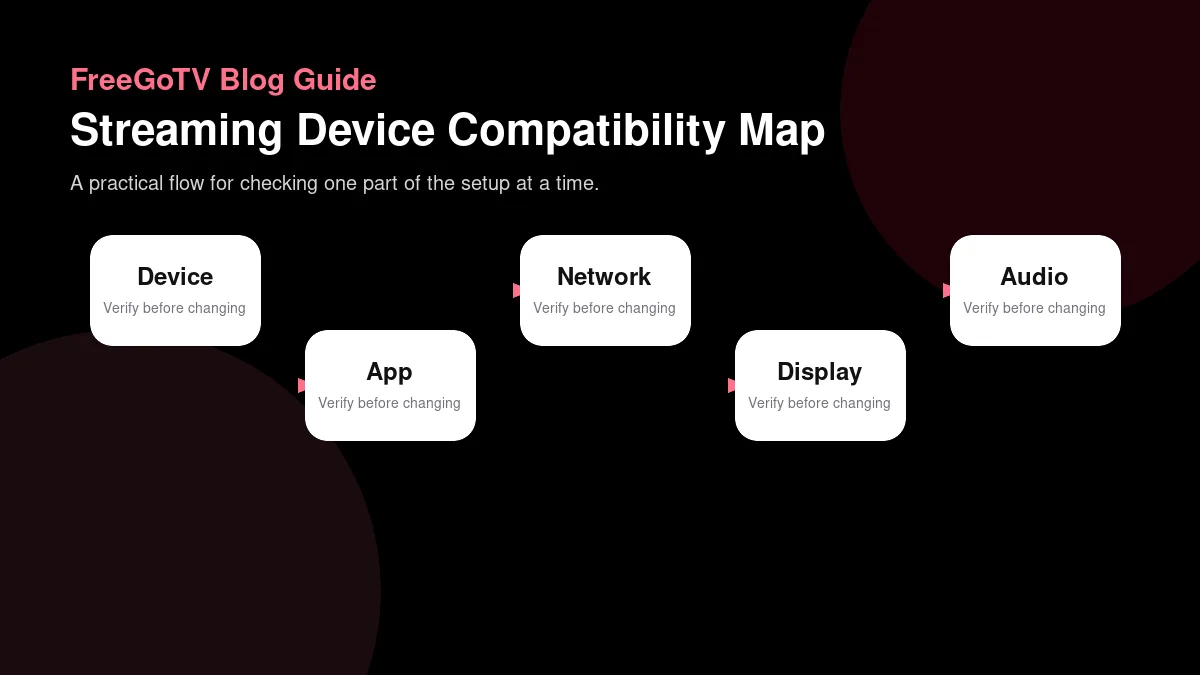
Treat compatibility as a chain
| Device type | App availability | Network considerations | Setup considerations |
|---|---|---|---|
| Smart TV | Check the exact app store and model year instead of assuming all smart TVs match. | Wi-Fi performance can vary by room, chipset, and distance from the router. | Remote text entry and updates may be slower than on a dedicated streamer. |
| Streaming stick or box | Often has broad app selection, but each platform still has its own rules. | Small devices may depend heavily on Wi-Fi quality unless an Ethernet adapter is supported. | Confirm storage, app updates, account sign-in, and display settings before buying. |
| Phone or tablet | App access may be easier, but casting or TV playback is a separate compatibility question. | Mobile data, hotspots, and home Wi-Fi behave differently during long viewing. | Test screen controls, captions, battery use, and whether the household wants handheld viewing. |
| Computer browser or app | Can be useful for testing, but it may not represent living-room use. | Wired Ethernet is easier to test and compare against Wi-Fi. | Check browser compatibility, audio output, and whether full-screen playback is comfortable. |
A working setup needs several agreements to line up. The service must support an access method. An application must implement that method. The application must run on your device and operating-system version. The device must handle the media being delivered. Finally, your display and audio path must accept the output you select. A failure at any point can stop the experience even when the other parts look suitable.
This is why broad labels are insufficient. “Android,” “4K,” and “smart TV” describe categories or capabilities, not a complete tested configuration. A television's screen resolution says nothing about whether its app store carries a particular player. A powerful streaming box may still lack an authorized application for the service. Start with a documented path rather than trying to assemble one from unrelated marketing claims.
Separate requirements from preferences
Write down what must work before considering nice-to-have features. A requirement might be an officially supported app with captions on the main television. A preference might be a smaller remote or a particular home-screen layout. If a device fails a requirement, a discount or faster processor does not make it a suitable choice.
Also distinguish the person buying the equipment from the person operating it. A technically confident family member may tolerate switching inputs and managing separate accounts. Someone else may need one remote, predictable navigation, and readable text. Compatibility includes whether the household can use the system reliably, not merely whether an expert can make one video play once.
Identify the exact equipment you already own
Record the manufacturer's name, model number, approximate generation, operating-system version, and available connection ports. Use the device's settings or label rather than relying on the retail product family. Two products sold under similar names can differ in decoding hardware, memory, wired networking, or software support. Keep serial numbers private; they are rarely needed for a general compatibility discussion.
For a television, identify its operating system separately from its display technology. A panel description such as OLED or LED is not an app platform. For an external player, identify the player itself even if the television's remote controls it. When a support conversation says “my Samsung TV,” the relevant software may actually be running on a connected device from another manufacturer.
Build a short inventory
A practical inventory can be five lines: television model, playback device model, app name and version, connection type, and audio equipment. Add the country configured for the app store if app availability is the issue. This creates a reusable reference for installation, support, and future replacement decisions without turning the process into a technical specification project.
Do not post account identifiers, Wi-Fi passwords, full activation URLs, or photographs of labels containing unnecessary personal information. If someone needs a model number, provide that number alone. Clear information is useful; unrestricted information sharing is not. You can document a setup thoroughly while keeping the secrets that enable access out of public messages.
Check the app before comparing hardware
Find the service's documented application or supported player first. Confirm the app's exact name, developer, platform, and current listing. Similar names and icons can lead to unrelated products. If no supported application is documented for your platform, do not assume a different app with IPTV in its name will accept the same account or provide equivalent features.
The FreeGoTV installation page lists device categories and a general setup flow, but it does not establish a verified native FreeGoTV app or model-by-model certification. Treat that distinction seriously. Ask for confirmation of the exact application and equipment combination before making a purchase around a feature that the existing site does not document.
Store availability is only the first gate
An app appearing in a store establishes that it is offered in that store context; it does not prove compatibility with every stream or subscription. The listing may require a newer operating system, restrict features to certain models, or charge separately for software functionality. Read the requirements and developer information before treating installation as proof that the entire service will work.
Conversely, an app missing from a television's store is useful evidence. It may reflect regional availability, model support, or platform differences. Search the official documentation rather than downloading an unrelated package from an advertisement. A phone version, browser version, and television version can have different capabilities even when they share a brand.
Understand the major platform boundaries
Fire TV, Android TV or Google TV, Apple TV, Roku, and manufacturer-specific smart-TV platforms have their own application ecosystems. They are not interchangeable simply because each can show streaming video. A package intended for one environment is not a universal television installer. Start with the platform's normal store and supported installation process, then verify the specific app and service.
Amazon publishes Fire TV device specifications that distinguish individual models and media capabilities. Those specifications are appropriate evidence for a hardware question; they are not evidence that a separate subscription supports that device. Keep the manufacturer's claim and the provider's claim in separate columns of your decision notes.
Android TV and Google TV
Android-based television equipment shares important platform foundations, but model capabilities and app support still matter. A generic Android box should not be assumed equivalent to every certified television device. Software designed for touch interaction may also be awkward or unusable with a directional remote. Check the actual television app rather than extrapolating from a phone screenshot.
Android's media-format documentation separates format support by platform requirements and versions. For a consumer, the practical lesson is to verify the model and software combination instead of reading “Android” as a complete media specification. You do not need to memorize the tables; you need enough identifying information to ask a precise compatibility question.
Apple TV and Roku
Apple's App Store guidance for Apple TV applies to Apple TV 4K and Apple TV HD. The existence of an iPhone app does not by itself establish a television app with the same features. Likewise, a website that works on a Mac is not necessarily a documented Apple TV playback method. Confirm the intended application on the actual device.
Roku maintains its own streaming specifications. A Roku player is not an Android device, so instructions involving an Android installation package do not transfer to it. Check the current Roku app or service documentation directly. Neither Roku nor Apple TV should be described as supported by FreeGoTV merely because they are discussed here as examples of common streaming ecosystems.
Distinguish decoding from output
Decoding turns compressed media into usable video and audio. Output sends that result toward the television or sound system. A device might support a particular display resolution while lacking support for the source codec or profile. Alternatively, it might decode the video but be configured to output a different resolution. These are separate stages with different troubleshooting paths.
When a specification lists a codec, look for relevant limits rather than stopping at its name. Resolution, frame rate, profile, bit depth, and implementation can matter. Do not assume a device handles every possible variation of a format because one version works. The streaming video quality guide explains these terms in relation to what you actually see.
Consider audio as its own path
Audio may be decoded by the player, passed to a receiver, or converted along the way. Television speakers, soundbars, and receivers can accept different inputs and formats. A setup that produces a picture without sound is not necessarily failing to receive the stream. The mismatch may be in the selected audio track or output arrangement.
List the equipment between the player and the speakers. If the player connects through a receiver before reaching the television, both devices are part of the path. If sound travels back from the television to a soundbar, that is a different arrangement. Follow the relevant manufacturers' instructions instead of enabling advanced output modes simply because their names sound higher quality.
Check network and physical requirements
A device's wireless connection can be affected by its placement, nearby equipment, and the route to the router. An external player hidden behind a television may experience different conditions from a phone held in the open. A wired option can be useful for controlled comparisons, but you must confirm whether the model includes a port or supports a particular adapter.
Also check power requirements, available outlets, ventilation, cable reach, and access to the television's inputs. A device that only fits when squeezed into a hot cabinet may be inconvenient even if its specifications are suitable. Physical installation is part of compatibility because the equipment must operate where the household actually watches, not only on a desk during initial setup.
Avoid solving the wrong bottleneck
A new streaming device may help if the current hardware cannot run the required app or decode the media. It will not grant missing channel rights, repair an account entitlement, or automatically remove household network congestion. Before replacing equipment, state the specific limitation you expect the replacement to resolve and identify evidence that the candidate addresses it.
For example, “The documented app requires a newer operating-system version than this television can install” is a concrete reason to investigate another supported device. “The stream was blurry last night” is not enough by itself. Blurriness could come from source quality, adaptation, display settings, or other factors unrelated to the age of the box.
Evaluate controls and accessibility
Test the tasks a real viewer will perform repeatedly: opening the app, finding a channel, turning captions on, changing audio, returning from playback, and recovering after an accidental button press. A device can be technically compatible while making those tasks unnecessarily difficult. Readability at the normal seating distance matters more than how attractive a close-up product image looks.
Ask about caption behavior within the actual service and app, not only the operating system. A platform-level accessibility feature does not guarantee that every third-party interface uses it well. Similarly, a remote's microphone does not prove that voice commands can navigate a particular player. Confirm the actions that matter rather than relying on a general accessibility badge.
Think about shared households
Different people may need different text sizes, account permissions, or viewing shortcuts. A setup that depends on one person's phone for every playback session can be inconvenient when that person leaves home. If casting is part of the plan, understand who initiates it, which device remains in control, and whether the service explicitly supports the arrangement.
Parental controls deserve the same specificity. A television's restrictions may apply to its own store or interface without controlling every external input. An app's profile feature may organize preferences without enforcing access limits. Ask what the control actually protects and test it with non-sensitive content before assuming it covers the whole household setup.
Use a compatibility worksheet
For each candidate, write six answers: supported service method, exact app, exact model, media requirements, display/audio path, and household controls. Mark each answer as documented, observed in an authorized test, or unknown. A blank is not a failure, but it is a reason to delay a purchase if the unanswered question concerns an essential requirement.
Keep source links next to the relevant answers. Manufacturer documentation supports hardware claims; app documentation supports software claims; service instructions support account and content claims. This prevents a common mistake in which one broad statement is used to validate the entire chain. A device specification cannot substitute for a provider's confirmation of a supported login method.
An illustrative comparison
Suppose a household already owns a television with no documented app for its chosen service. Candidate A is an external player with a confirmed supported app. Candidate B has more storage and a faster advertised processor but no documented service application. If the requirement is straightforward authorized playback, Candidate A has stronger evidence even before price or premium features enter the discussion.
Now suppose Candidate A lacks a required caption control in the actual app. That may change the decision. The point is not that one platform wins; it is that requirements determine which evidence matters. A comparison becomes useful when it explains why an option fits this household, rather than declaring a universal winner for every viewer.
Validate before committing to a new setup
If an authorized trial or demonstration is available, test the exact equipment and application you intend to use. Include startup, navigation, captions, audio, and a return after the device has been idle. Record what was tested and what remains unknown. Do not infer months of reliability from a short successful session, and do not describe a hypothetical checklist as hands-on testing.
Review the seller's and service's applicable terms independently. A device return policy and a content-subscription policy cover different purchases. Keep the order details and written compatibility answers so you can explain a mismatch accurately. This is ordinary preparation, not a promise about refunds or a substitute for reading the actual terms that apply to your transaction.
Keep the brand boundary clear
FreeGoTV provides a starting point for reviewing its published service information. This article does not expand that information into a promise that every platform named here is supported. For the current project-specific guidance, use the listed device categories and the service FAQ, then seek confirmation where an exact model or app is not documented.
Once the combination is confirmed, the safe setup checklist helps you install and verify it without confusing store credentials with service credentials. If the open question is what an application actually supplies, read the player-versus-provider explanation before purchasing software.
Frequently asked questions
Does a 4K label prove a device can play every 4K stream?
No. The label describes a capability under particular conditions, not universal compatibility. The codec, profile, frame rate, app, service entitlement, output settings, and display path can all matter. Confirm the combination relevant to your content. A successful 4K video in one application is useful evidence about that application, but it does not establish the behavior of every other service.
Can I use a phone app on a television?
Sometimes a service offers a separate television app or a documented casting method, but neither should be assumed. Phone interfaces can depend on touch controls, and app availability can differ by platform or region. Follow the service's supported method. Do not treat copying an installation package or mirroring a screen as proof that the resulting experience is supported.
Should I replace my television or add a player?
First identify the limitation. If the display is adequate but its software platform lacks a supported app, a compatible external player may be an option worth investigating. If the limitation concerns the panel, an external player cannot change its physical capabilities. Compare documented requirements and total setup complexity before spending money; this guide does not recommend a particular product.
Conclusion: buy evidence, not a category label
The strongest compatibility decision connects an actual household requirement with an exact app, model, media path, and control experience. Platform names help organize the search, but they are not substitutes for verification. Preserve the distinction between manufacturer capabilities and provider support, especially when a site offers only broad device categories.
Before changing your setup, complete the six-part worksheet and resolve the unknowns that affect essential tasks. Then review the installation guidance for the next step. A small amount of precise preparation is more useful than a long list of impressive specifications that do not answer whether your intended stream will work.