If you are trying to pay for FreeGoTV or renew a FreeGoTV subscription, the safest first step is to use the official FreeGoTV support path and confirm the plan before sending payment. Payment details can vary by customer, location, renewal status, and the number of devices or simultaneous connections you need. This guide explains what to prepare, how to ask for renewal help, and how to avoid common mistakes without inventing payment methods that are not published on the website.
For official navigation, start at FreeGoTV, review current FreeGoTV pricing, and contact support through WhatsApp when you are ready to ask about payment or renewal. A useful message is: Hello, I would like help renewing my FreeGoTV subscription. Keep the message simple at first. You do not need to send full passwords, payment screenshots, or private account details in the opening message.
Quick answer: how to pay for FreeGoTV renewal
To renew FreeGoTV, check which plan and device quantity you want, then contact FreeGoTV support on WhatsApp for payment assistance. The public website does not list a specific processor such as card, PayPal, bank transfer, or crypto, so you should not assume a method before support confirms the correct payment path. This protects both the customer and FreeGoTV from confusion caused by outdated messages, copied links, or unofficial payment requests.
The renewal conversation should confirm four things: the account or subscription being renewed, the number of devices or simultaneous connections needed, the billing period you want, and the amount that matches the current FreeGoTV plan. If you are not sure which option fits, compare FreeGoTV subscription plans before you ask for payment instructions.
What to send in the first WhatsApp message
A good first message is short and specific: Hello, I would like help renewing my FreeGoTV subscription. I use one device and want to confirm the current plan options. You can adjust the device count if you use more screens. If your question is about a new subscription rather than a renewal, say that clearly. If your question is about setup after payment, mention the device type, such as Smart TV, Fire TV, Android TV, phone, tablet, Windows computer, or macOS computer.
Before you pay: confirm the right FreeGoTV plan
Payment should come after the plan decision, not before it. Review the current FreeGoTV plan table, select the number of devices you need, and compare the available billing periods. The device selector matters because a household using one screen at a time may need a different plan from a household using multiple screens at once. FreeGoTV pricing should be checked on the live pricing page rather than copied from an old screenshot or message.
For one-device plans, make sure you are looking at the current one-device pricing. For additional devices, use the same selector and do not assume the one-device price applies to every connection count. If you are renewing and your household changed devices since the last payment, mention that in the WhatsApp conversation. It is better to confirm the plan once than to pay for an option that does not match how you now watch.
Confirm the device quantity
When people search how to pay for FreeGoTV, the real question is often not only payment. It is also whether the plan is still the right fit. Count the screens that may need access at the same time. A television in the living room, a phone, and a tablet do not automatically mean three simultaneous connections if they are not used together, but a home that watches on several screens at once should choose accordingly. If unsure, ask FreeGoTV support which FreeGoTV plan fits the way you use the service.
A practical FreeGoTV renewal checklist
| Before renewal | What to verify | Why |
|---|---|---|
| Plan and duration | Check current pricing and decide the billing period you want. | Support can confirm the amount more easily when the plan is specific. |
| Device count | Decide how many simultaneous connections you need. | A renewal should match how the household watches now, not last year. |
| Official support path | Start from the FreeGoTV website or official WhatsApp route. | It reduces the risk of old numbers, copied payment links, or unofficial instructions. |
| Privacy boundaries | Prepare only non-sensitive details such as device type and plan preference. | You should not send passwords, full payment details, or private screenshots by default. |
| Renewal record | Keep the selected plan, date, and support confirmation in a private note. | A simple record makes future renewals and household support questions easier. |
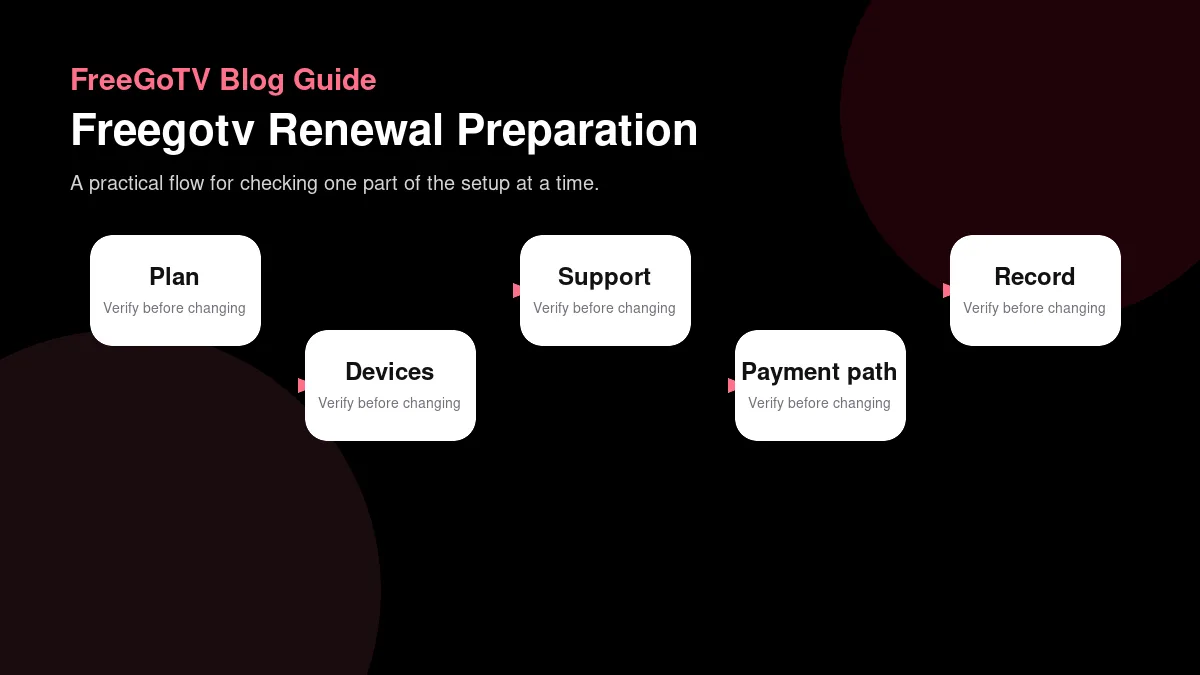
Use a simple checklist before contacting support. First, decide whether you are renewing an existing FreeGoTV subscription or starting a new one. Second, check the plan duration you want. Third, count the number of simultaneous connections you need. Fourth, note your device type and app setup if support may need to help after renewal. Fifth, use the official WhatsApp link or contact page rather than a number copied from an old chat.
This checklist also helps if your service already expired. Instead of writing only it is not working, explain that you want to renew and include the device count you want to confirm. If you have an error message, describe it without sending private credentials. If the issue is setup rather than renewal, use the FreeGoTV setup guides and tell support which step stopped.
If your subscription has expired
If your FreeGoTV subscription has expired, avoid repeatedly changing apps, portals, or device settings before confirming renewal status. An expired account can look like a sign-in problem, a blank channel list, or an authorization error depending on the app. Contact FreeGoTV support, say that you want to renew, and wait for the correct payment guidance. If support confirms the account is active, then you can move into device troubleshooting.
Payment safety and privacy
Do not send full payment card details, account passwords, activation URLs, or private screenshots in a public comment or unsecured place. A legitimate payment conversation should not require you to post secrets where other people can see them. If support asks for account identification, provide only what is necessary and use the official FreeGoTV communication route. If you are unsure whether a link is official, return to the FreeGoTV website and start again from there.
Be careful with copied payment instructions from older chats. Plan prices, supported device counts, and support processes can change. A renewal request should be based on the current FreeGoTV pricing page and the current support conversation. If a friend forwards you payment information, treat it as a hint, not proof. Confirm with FreeGoTV before paying.
Details you should not share unnecessarily
Do not share your full password, full payment details, personal identification documents, or complete screenshots of account pages unless support clearly explains why a specific redacted detail is needed. For most renewal questions, support needs the renewal intent, plan preference, device count, and enough account context to identify the request. Keep the message useful but limited.
What payment methods does FreeGoTV accept?
The public website does not currently publish a fixed list of payment processors. Because of that, this guide does not claim that FreeGoTV accepts PayPal, credit cards, crypto, bank transfer, or any other specific method. The accurate answer is to contact FreeGoTV support and ask for the current payment path for your FreeGoTV subscription or renewal. If support provides payment instructions, read them carefully and confirm the amount, plan duration, and device count before proceeding.
This is also why generic online advice can be misleading. A payment method available to one customer at one time may not be the correct route for another renewal. Searchers who ask how to pay for FreeGoTV renewal usually need the current support process, not a guessed processor name. Use the official support path rather than relying on third-party posts.
New FreeGoTV payment vs renewal
A new FreeGoTV subscription question and a renewal question are related, but they are not identical. A new customer may still be choosing a device, comparing plans, or requesting a Free Trial. An existing customer may already know the device but needs to confirm renewal status, plan duration, or device count. Say which situation applies. That helps support answer faster and reduces the chance of receiving setup instructions when you actually need renewal help.
If you are new, start with the FreeGoTV free trial or pricing page and ask any plan questions before paying. If you are renewing, start with your current plan and decide whether it still fits. If you are changing the number of devices, treat the renewal like a plan change and confirm the updated amount before payment.
What to check after payment
After support confirms payment or renewal, test FreeGoTV on the device you actually use most. Open the app, confirm sign-in, check the guide, and play a normal stream. If something does not work, avoid changing many settings at once. Send support the device model, app name, approximate time, and exact error message. The streaming error troubleshooting guide explains how to report symptoms without exposing private details.
Common renewal problems and how to describe them
The most common renewal problem is a vague message. Support can work faster when you describe the situation clearly. Instead of writing FreeGoTV is down, say: I renewed or want to renew my FreeGoTV subscription, I use one device, the app shows this error, and it started today. If you did not renew yet, say that too. Separating payment status from playback status prevents circular troubleshooting.
Another common issue is device change. A customer may renew the same subscription but switch from one device category to another. If you moved from a phone to a Smart TV, from a TV box to Fire TV, or from a tablet to a computer, mention that. Device setup can affect the app path even when the subscription itself is active.
Helpful FreeGoTV renewal message examples
A clear message helps support understand the request before discussing payment. For a simple renewal, you might write: Hello, I want to renew my FreeGoTV subscription. I use one device and would like to confirm the current monthly and annual options. For a household plan, mention the number of simultaneous connections instead of listing every phone or television in the home. For a setup question after renewal, add the device type and app name so the conversation does not have to start over.
If you are comparing plans before paying, say that directly. A useful message is: Hello, I am checking FreeGoTV pricing before payment. Can you help me confirm the right plan for my device count? This is better than asking only for the cheapest option, because the lowest price may not match the way you watch. A plan that fits one screen is not the same decision as a plan for several simultaneous screens.
If your service stopped working and you are unsure whether the issue is renewal or setup, describe both possibilities. For example: Hello, I think my FreeGoTV subscription may need renewal. The app opens, but my channel list does not load. I use Android TV. Can you help me confirm my renewal status? That message gives support a path to check the subscription first and then move to troubleshooting if the account is already active.
Avoid vague renewal messages
Messages like price? or account? are easy to send but hard to answer accurately. They do not explain whether you are a new customer, an existing customer, a trial user, or someone with an expired subscription. They also do not explain how many devices you need. When support has to ask several basic questions before giving payment guidance, the renewal takes longer. A specific first message can save time without exposing private details.
How to confirm FreeGoTV pricing before payment
Use the live pricing page as the reference point before asking how to pay for FreeGoTV. The page lets you compare billing periods and device counts. If you only saw a price in a search result, an old image, or a forwarded chat, treat that number as unconfirmed. Search snippets and screenshots can lag behind the current page. The best sequence is to open the website, check the current FreeGoTV plan, then ask support to confirm the amount and payment path.
For one-device FreeGoTV plans, check the one-device selector and compare the monthly, three-month, six-month, and twelve-month choices. For multi-device plans, switch the selector to the correct number of devices before comparing. Do not mix the one-device price with a multi-device renewal question. If you are changing from one connection to two or more, say that you want to renew and update the device count at the same time.
If a payment amount in a support conversation does not match what you expected, pause and ask for clarification before paying. There may be a simple explanation, such as a different device count or billing period, but it should be clear to you before money changes hands. Good renewal conversations make the plan, duration, device count, and support route explicit.
Check currency and device count together
Currency and device count should be read together because a plan table can include different symbols or different price structures depending on the option selected. Do not rewrite or reinterpret the displayed amount in your own message. Instead, tell support exactly which plan you are viewing and ask them to confirm it. This is especially useful when renewing from outside the page you originally used to subscribe.
What happens after a FreeGoTV renewal
After renewal, test the service calmly on one primary device first. Open the app you normally use, check whether the account loads, and try a channel you already know. If everything works on the primary screen, then test additional devices if your plan includes them. This order makes troubleshooting easier because it separates account renewal from device-specific setup.
If the renewal is confirmed but playback still fails, do not repeatedly reinstall apps, reset the device, or change portal details without guidance. Too many changes can hide the original problem. Instead, report the exact state: renewal confirmed, device type, app name, whether the guide loads, whether live channels open, and the error message if there is one. This gives FreeGoTV support useful information without requiring private credentials.
Some post-renewal problems are simple timing or cache issues. Others are app configuration issues. The important point is to avoid assuming that every playback problem means the payment failed. Confirm renewal status first, then troubleshoot the device. If you need more background on symptoms, the troubleshooting guide linked above explains how to describe buffering, loading, and sign-in problems in a way support can act on.
Keep a simple renewal record
Keep a basic note of the plan duration you selected, the device count, the date you renewed, and the support conversation where the payment path was confirmed. You do not need to store sensitive payment details in that note. The goal is only to remember what you chose so the next renewal question is easier. A simple record also helps if another person in the household contacts support later.
If you chose the wrong plan
If you think you selected the wrong FreeGoTV plan, contact support promptly and explain the mismatch. Do not assume a change is automatic. Share the plan you intended to choose, the device count you need, and the plan you believe was applied. Keep the message factual. Support can review the situation more easily when the request is specific and calm.
Useful FreeGoTV links before payment
Before you pay or renew, the most useful pages are the FreeGoTV pricing page, the FreeGoTV setup guides, the FreeGoTV channel list, and the FreeGoTV FAQ. Pricing helps you confirm the amount and device quantity. Setup guidance helps you understand whether your screen is a practical fit. The channel list explains how sample channel information is presented. The FAQ answers common subscription, device, and support questions.
If you are still evaluating whether FreeGoTV fits your household, use the streaming service evaluation guide. That guide helps separate must-have requirements from nice-to-have preferences before payment. Renewal is simplest when you already know what you need and can ask support for a specific plan.
FAQ
How do I pay for FreeGoTV?
Review the current plan on the FreeGoTV pricing page, then contact FreeGoTV support on WhatsApp for the current payment path. The website does not publish a fixed payment processor list, so do not assume a method until support confirms it.
How do I renew a FreeGoTV subscription?
Message FreeGoTV support and say you want help renewing your FreeGoTV subscription. Include the device count or plan you want to confirm. Support can then guide you through the correct next step.
What information should I have ready?
Have your plan preference, device count, device type, and renewal question ready. Do not send passwords, full payment details, or private screenshots unless support specifically requests a limited, redacted detail through the official route.
Can I choose a specific payment method?
Ask FreeGoTV support which payment options are currently available for your request. This guide does not name specific processors because the project does not publicly verify them.
Conclusion
The safest way to pay for FreeGoTV or renew a FreeGoTV subscription is to confirm the plan first, use the official WhatsApp support path, and avoid sending unnecessary private information. Check the current pricing page, decide the device quantity, and ask support for the correct payment path. That keeps the renewal conversation clear, protects your details, and helps FreeGoTV match the subscription to the way you actually watch.